
Drobo (2nd generation) data recovery
Recovering a crashed, degraded or failed Drobo (2nd generation), the 4-bay Drobo. Send us all the drives (and the unit if you can), labelled in bay order, and we rebuild the volume from copies of the drives without writing to the originals.
- 4 bays
- 2008–2010
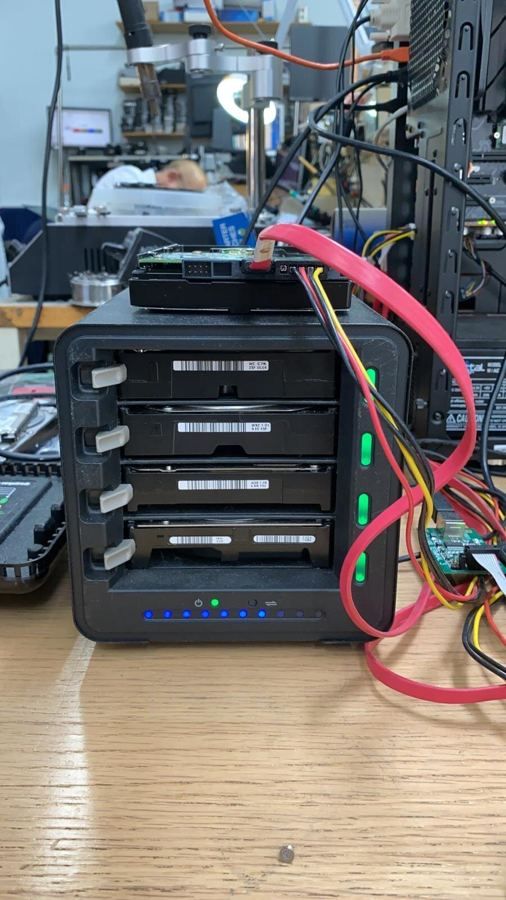
How it stores your files
| Make | Drobo |
|---|---|
| Model | Drobo (2nd generation) |
| Drive bays | 4 |
| Storage | BeyondRAID (Drobo’s own), with HFS+, NTFS or ext3 on top depending on the computer it was set up with |
About Drobo
- Drobo uses its own BeyondRAID system rather than standard RAID, so the drives can’t be read in a normal computer or another NAS. Recovery means imaging every drive and rebuilding the BeyondRAID layout in software.
- Drobo units are no longer made or supported by their maker, so a failed chassis or a “too many drives have failed” message can’t be fixed with a replacement unit or a support call.
- Connection: USB 2.0 / FireWire.
- Every drive is imaged first, then the RAID or volume is rebuilt virtually from the copies.
- Failed drives are repaired in the clean-air cabinet so they can be imaged.
- We recover the folder structure, file names and dates, not just loose files.
What is it showing?
| What it is doing | What it usually means |
|---|---|
| “Volume crashed” or “degraded” | One or more drives have dropped out. Don’t repair or rebuild until the drives are imaged. |
| Asks to initialise or reinstall | Don’t. Initialising can wipe the volume. Switch it off. |
| Rebuild stopped part-way | A second drive failed during the rebuild. Very common with large or SMR drives. |
| Won’t boot, no web page | Chassis, power or system partition. The data drives are often fine. |
| Files encrypted by ransomware | Switch it off and disconnect it from the network. Don’t pay; call us. |
Before you do anything: don’t initialise, repair, rebuild or swap drives around. Switch it off, label each drive with its bay number, and call us.
| Service | Price + VAT |
|---|---|
| Initial consultationFinds out whether the fault is physical or logical and the best way to recover it. | Free |
| Clean room diagnosticFor clicking, buzzing or silent hard drives. | £79 |
| RAID 0 | £650 |
| RAID 5, 6 and 10Depends on how many drives need repair and rebuild. | £850 to £1,500 |
| NAS, 2TB (1TB + 1TB) with one drive to repair | £450 |
| QNAP or Synology RAID 5 NAS | £650 |
| External drive for your recovered filesPrice follows the market at the time. | £150 (1TB) to £250 (4TB) |
What will it cost?
Pick the closest match. The consultation is free, and the price is agreed before any recovery work starts.
The calculator needs JavaScript. See the price list or call 020 7237 6805.